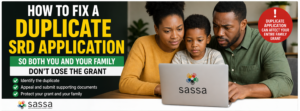
How To Fix a Duplicate SRD Application So Both You and Your Family Don’t Lose the Grant
Accidentally submitting a duplicate SRD grant application can jeopardize your benefits and those of your household, but quick action through the official appeal process can resolve it. As of April 2026, SASSA’s updated procedures make it straightforward to clarify duplicates and reinstate eligibility for the R370 monthly grant.
Understanding Duplicate Applications
A duplicate SRD application happens when the system detects multiple submissions linked to the same ID number or phone, often from glitches, family members using shared details, or reattempts after updates. This flags your account, leading to declines for all related applications and potential loss of payments for you and dependents.
SASSA’s 2026 verification now cross-checks bank data and biometrics more rigorously to prevent fraud, making duplicates a common rejection reason. Acting within 90 days is crucial to avoid permanent ineligibility.
Why Duplicates Affect Your Family
SRD rules tie household income checks to primary applicants, so one duplicate can trigger reviews for everyone listed, like spouses or children on child support grants. If unresolved, the system may suspend family-wide benefits until clarified.
For instance, shared phone numbers across family often cause this, as SASSA requires unique contacts per applicant. Resolving promptly protects collective grants, preserving up to R370 monthly per eligible member.
Check Your Application Status First
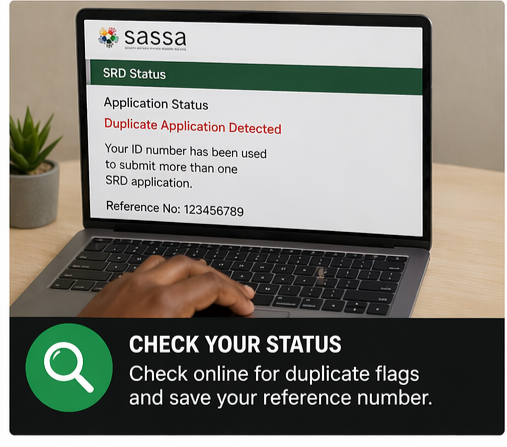
Visit srd.sassa.gov.za and enter your 13-digit ID and phone number to get an OTP, then view status details. Look for “duplicate application,” “already applied,” or “declined” flags with a reference number.
Screenshot everything, including dates and error messages, for your records. This step confirms the issue before appealing and shows if family applications are impacted.
Step-by-Step Appeal Process
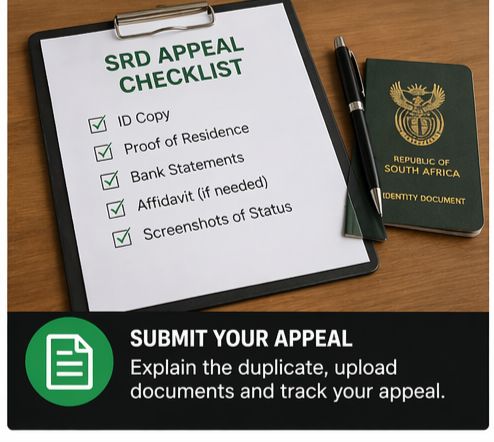
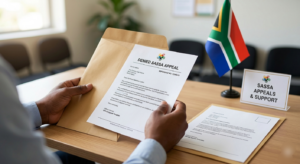
Log into the SRD appeals portal at srd.dsd.gov.za/appeals using your ID and phone OTP. Select the declined application, explain it was an inadvertent duplicate (e.g., “Technical error during update created second entry”), and upload ID copies.
Submit within 30-90 days of decline notice; you’ll get a reference number via SMS. Track progress on the same site under “Track Appeal Status”. For family protection, note all affected IDs in your statement.
Gather Essential Supporting Documents
Prepare your South African ID, proof of residence like a utility bill, and bank statements showing no conflicting income. Include affidavits from family explaining shared details if applicable, plus screenshots of the duplicate status.
Avoid new applications during appeal, as they worsen flags. Digital uploads speed processing, with decisions typically in 60 days.
Contact SASSA for Urgent Help
Call the toll-free line 0800 60 10 11 or WhatsApp 082 046 8553 with your reference number for guidance on duplicates. Visit a local SASSA office for in-person forms if online fails, especially for family-linked issues.
Mention household impact to prioritize; agents can request manual resets. Follow up weekly using your reference.
Prevent Future Duplicates
Use unique phone numbers per applicant and update details only via the official site, not multiple browsers. Reapply only if lapsed, as the system auto-detects actives.
Enable two-factor alerts and check status monthly. Educate family on one-application-per-ID rule to safeguard grants through 2027 extension.
What Happens After Successful Fix
Once approved, SASSA merges duplicates, reinstates your grant, and pays arrears within 30 days. Family benefits resume automatically if no other issues.
Monitor payments via the portal or bank; if delayed, reference your appeal outcome. This ensures ongoing R370 support without gaps.
Fixing a duplicate SRD application restores stability fast if you follow these 2026 steps diligently.