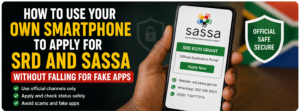
How To Use Your Own Smartphone to Apply for SRD and SASSA Without Falling For Fake Apps
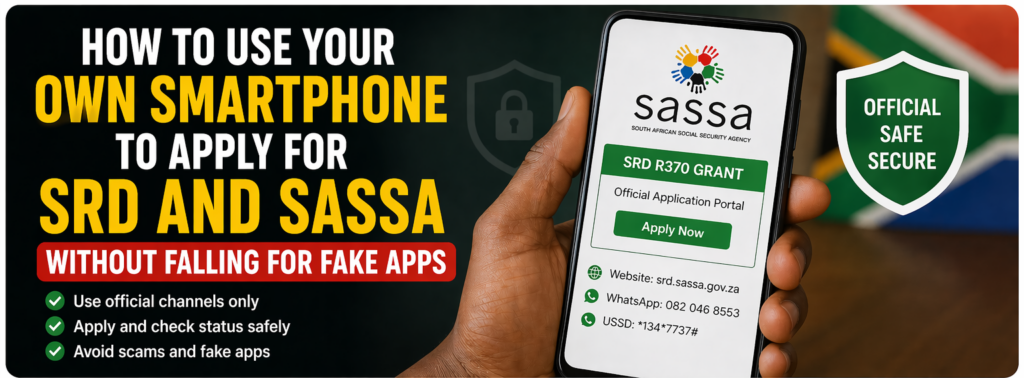
If you’re in Nigeria or a nearby country and you’ve seen “SASSA” or “SRD” apps promising quick grants on Android or iOS, pause for a moment. The real SRD (Special Relief of Distress) and SASSA processes are only handled through official South African government channels, not random third‑party apps. In 2026, SASSA is still focused on South African residents, but many of its methods—website, USSD, and WhatsApp can be used safely from any smartphone, as long as you avoid fake copy‑cat apps.
Below is a clear, step‑by‑step guide on how to use your own smartphone to apply for or check SRD/SASSA status, plus how to spot and avoid scams.
1. Know the official channels (2026)
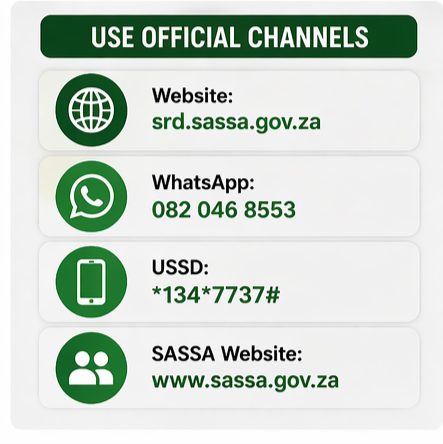
Before you download anything, make sure you’re using the only approved channels for SRD and SASSA:
– SRD official portal: https://srd.sassa.gov.za for the Special Social Relief of Distress (R370) grant.
– Main SASSA site: www.sassa.gov.za for general grants and status/assistance.
– Official WhatsApp: 082 046 8553 for SRD‑related chat‑based support and application.
– USSD: Dialing *134*7737# on some South African networks is still listed as an official SRD option (note: this only works on supported local SIMs).
Anything else—random “SASSA Loan”, “SASSA Money”, or “R370 Grant Helper” apps—is almost certainly fake and not authorised by SASSA in 2026.
2. Apply on your smartphone (no fake app needed)
You don’t need a special SASSA app from the Play Store or App Store. Here’s how to use your phone safely in 2026:
A. Use the SRD website in your browser
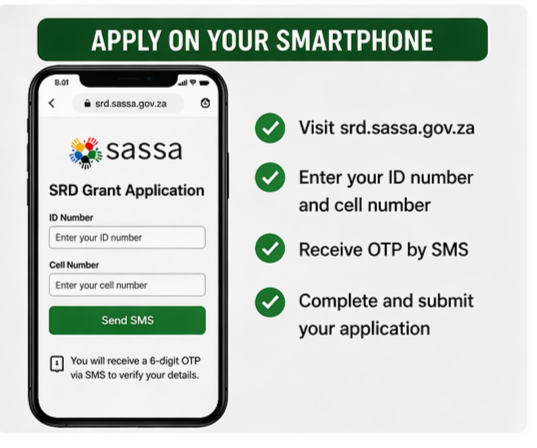
On your phone’s browser:
1. Open Chrome, Safari, or any browser.
2. Type or paste: https://srd.sassa.gov.za.
3. Enter your South African ID number and mobile number, then click “Send SMS”.
4. You’ll get a 6‑digit OTP by SMS; enter it on the site and verify.
5. Fill in the form that appears (personal details, contact info, etc.), confirm, and submit.
That’s it—no third‑party app, no “agent” fee, no secret password.
B. Use the SASSA WhatsApp channel
If you have a number that can receive WhatsApp messages:
1. Open WhatsApp.
2. Start a new chat with 082 046 8553.
3. Follow the prompts and send the requested details (ID number, phone number, etc.).
4. The system will send you an application reference and a link back to the same official SRD site for OTP and final submission.
This whole process happens inside WhatsApp’s official business chat; you never need to download a separate SASSA app.
3. Check your SRD/SASSA status from your phone
If you’ve already applied, you can still use your smartphone to track your status without sketchy apps:
– Go to https://srd.sassa.gov.za and click the “Check your status” or “Application status” option.
– Enter your ID number and mobile number, then the OTP sent by SMS.
– The portal will show whether your application is pending, approved, or declined, along with any next steps.
For general SASSA grants (old age, disability, etc.), use the main SASSA site’s status‑check or chatbot, which is clearly marked on the homepage.
4. How to avoid fake SASSA/SRD apps
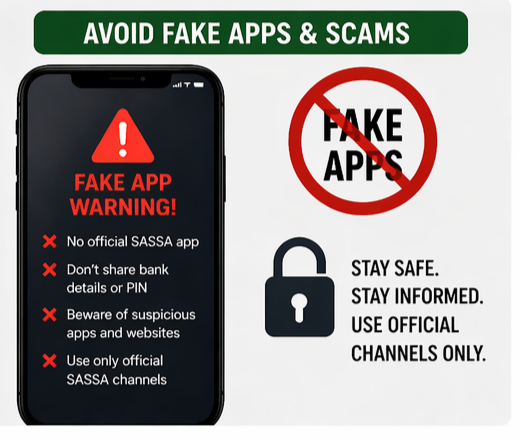
Because of all the talk about “R350” and “R370” grants, lots of fake apps and websites are targeting phone users in 2026. Here’s how to protect yourself:
– No official SASSA “money app” exists
SASSA does not have a branded SASSA app for applying to grants on Google Play or the Apple App Store. If you see “SASSA Wallet”, “SASSA Loan”, or “SRD Grant App”, treat it as suspicious.
– Check the developer and ratings carefully
Before installing *any* “grant”, “loan”, or “SASSA‑related” app, check: who the developer is, how many reviews it has, and whether they mention links to srd.sassa.gov.za or sassa.gov.za. Fake apps often have very few reviews, odd developer names, or vague descriptions.
– Watch for dangerous permissions
Grant‑related apps that ask for access to your contacts, SMS, call logs, or camera without clear reason are red flags. Official SASSA checks happen on the website or via SMS/WhatsApp, not through a hidden app.
– Never share your bank details or card PIN
If a pop‑up, chat, or app asks you to enter your ATM card details, PIN, or online‑banking password, it’s a scam. SASSA processes payments through banks or Postbank, but they will never ask you to type your PIN online.
– Stick strictly to the official domains
Bookmarks: keep https://srd.sassa.gov.za and https://sassa.gov.za in your browser favourites. Any other link (even with small spelling errors like sassagov.za or srd.sassa-grant.xyz) should be treated as fake.
5. Extra tips for smartphone users in 2026
– Use data or Wi‑Fi you trust – Avoid public café or airport Wi‑Fi when entering personal details. Use your own mobile data or a secured home network.
– Keep your phone updated – Regular security patches help protect against malware that fake apps can install.
– Report suspicious apps – If you see a fake “SASSA” app on an app store, report it immediately using the app‑store’s reporting tool.
– Don’t apply more than once – SASSA warns that applying through multiple channels (website, WhatsApp, USSD) for the same period can cause delays or rejection.
By using your smartphone the right way—only through SASSA’s official website, WhatsApp number, and SMS/USSD channels—you can safely apply for or check SRD and SASSA status in 2026 while staying far away from fake apps and scams.