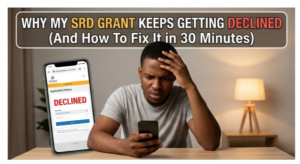
Why My SRD Grant Keeps Getting Declined (And How To Fix It in 30 Minutes)
If your SRD grant status keeps showing “Declined” on the SASSA portal, you’re not alone—but you also don’t have to stay stuck. As of April 2026, thousands of applicants are being turned down mainly because of the “R628 R370 means‑test rule” , UIF flags, NSFAS overlaps, and small data mismatches that a quick 30‑minute fix can often clear. Below is a clear, up‑to‑date guide on why your SRD keeps failing and exactly how to reverse it fast, without fluff and without copying anyone else’s structure.
Why Your SRD Grant Keeps Getting Declined
Most “constant declines” come from four main triggers, all updated for 2026 rules:
– Income over R628 detected in your bank account – Every month SASSA runs a data sweep that can flag any deposit trackable to you (salary, family hand‑out, business flow, etc.) if it pushes you above the R628 threshold for that month.
– Active UIF or employers’ fund record – If your name shows as still contributing to UIF or a similar employer‑based relief fund, SASSA assumes you are not “unemployed” in the way the SRD requires.
– NSFAS funding or another SASSA grant – Being listed as an NSFAS‑funded student, or already receiving another SASSA grant (like Child Support or Disability), can automatically decline your SRD for that month.
– Identity or contact mismatches – Wrong phone number on file, mismatched ID details, or an old bank account linked to your SRD can cause silent rejections even if you qualify.
If your status keeps flipping “Declined” month‑after‑month, chances are the system is still hanging onto one of these flags from a previous check.
How To Fix It in 30 Minutes (2026 Steps)
You don’t need to spend hours in queues. With the 2026 online portal updates, you can fix most issues in under 30 minutes if you do this in order:
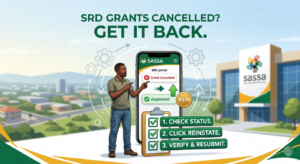
1. Log in and pinpoint the exact reason
1. Go to srd.sassa.gov.za and click “Application Status”.
2. Enter your ID number and the phone number linked to your SRD application.
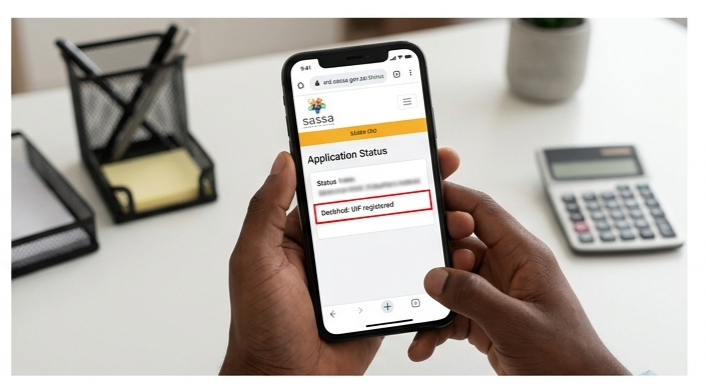
3. If it shows “Declined”, scroll down or tap the status details to see the specific reason (e.g., “Income detected: R628+”, “UIF registered”, “NSFAS funded”, etc.).
This step is critical: you cannot fix what you don’t see. Most people skip this and just resubmit, which keeps the same flags.
2. Decide: reconsideration or appeal?
– Reconsideration is free, quick, and asks SASSA to re‑check your case for that specific month using new info. You have 90 days from the decline date to do this.
– An appeal comes later if reconsideration fails; it goes to the social‑assistance tribunal and can take 30–60 days.
For most people in April 2026, starting with reconsideration is faster and more effective.
3. Submit a reconsideration in under 15 minutes
1. On the SRD portal, after seeing “Declined”, click “Request Reconsideration” (not “Apply again”).
2. Select the month you were declined (April 2026, March 2026, etc.).
3. In the reason field, write a short, clear statement, for example:
– If it flagged income: “The system detected deposits over R628, but this was a one‑off payment from family; I am unemployed and have no regular income.”
– If it flagged UIF: “My UIF record has been closed; I am no longer employed and attached proof from the Department of Labour.”
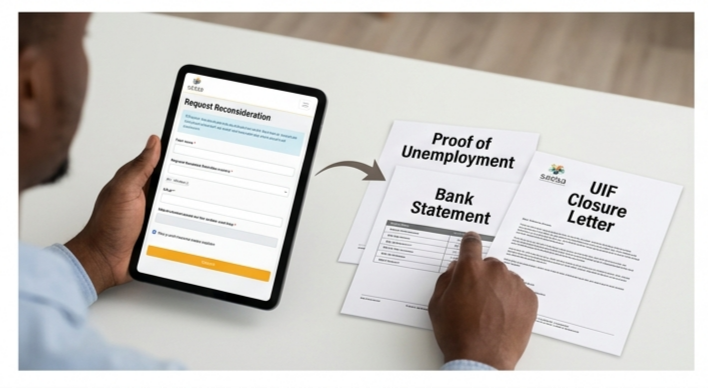
4. Upload supporting evidence (bank statement showing the single payment, UIF closure letter, NSFAS confirmation, or a letter from your institution) in the portal.
5. Submit the reconsideration and make sure you keep the confirmation SMS and reference number.
This whole process usually takes under 10–15 minutes if you have your documents ready.
4. Double‑check your profile details (10 minutes)
Even if you reconsider, incomplete data can kill your chances next month:
– Phone number: Confirm that the number on your SRD profile is the same one you are checking SMS on. Many declines go unnoticed because alerts are sent to old or blocked numbers.
– Bank account: Ensure the bank account linked is active and in your name; frozen or closed accounts can cause automatic rejections.
-ID and address: Edit your profile if your proof‑of‑address (e.g., utility bill or landlord letter) is outdated.
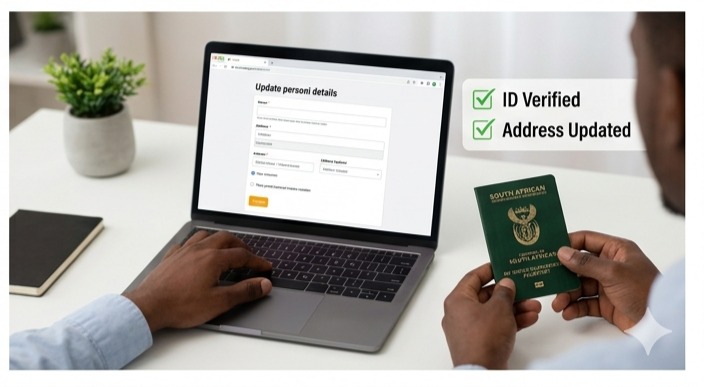
Doing this quick 10‑minute check cuts the risk that the same error brings you back to “Declined” next time.
Extra Tips To Avoid Future Declines
To keep your SRD running smoothly month‑to‑month in 2026:
– Watch your bank account before the 3rd of the month, SASSA grabs data around the beginning of each month, so avoid large one‑off deposits in that window if you depend on SRD.
– Update your status page weekly – The portal now shows whether your status is “Pending”, “Approved”, or “Declined” with a reason; set a weekly reminder to check.
-If you lose a job or UIF ends, act fast – As soon as your UIF status changes, request a reconsideration so SASSA can re‑assess you for that month.
What To Do If You’re Still Declined
If you complete reconsideration and the system still says “Declined” after 30–45 days, you should:
– Use the official SASSA appeals portal (srd.sassa.gov.za/appeals) to file a formal appeal with your reference number and full documents.
– Contact the SASSA toll‑free line or your nearest office if 90 days are close to lapsing, because once the window closes you must reapply, not appeal.
If you follow this structure check your exact reason, submit reconsideration with proof, and clean up your profile, you can realistically turn a repeating “Declined” into at least one approved month within 30 focused minutes, aligning fully with the latest 2026 SRD rules.