If Your SRD Is Blocked by “E-KYC Failed,” Here’s How to Unblock It Today

If your SRD status is blocked because of “E-KYC failed,” the problem usually comes down to a mismatch, incomplete verification, or a failed identity check. The good news is that many cases can be fixed quickly if you act on the right steps in the right order.
Why “E-KYC Failed” Happens
“E-KYC failed” means the system could not confirm your identity during electronic verification. This can happen when your ID details, phone number, or personal information do not match what is on record. It can also happen if the verification link expired, the selfie or biometric check failed, or the system flagged your profile for manual review.
Sometimes the issue is not that you are disqualified, but that the verification process did not complete properly. In those cases, the status stays blocked until you retry or request help from the grant office.
What To Check First
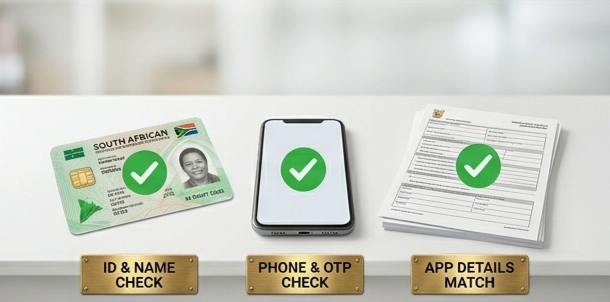
Before you rush to submit anything again, confirm these basics:
– Make sure your ID number is correct and matches your grant application.
– Check that your registered cellphone number is the same one you still use.
– Confirm that your names and surname are written exactly as they appear on your identity document.
– Look for any spelling errors, old numbers, or missing details in your application record.
– Ensure your phone can receive SMS or OTP messages, since verification often depends on that.
If any of those details are wrong, the system may keep rejecting your verification even if everything else is fine. Fixing the mismatch is often the fastest way to unblock the status.
How To Unblock It
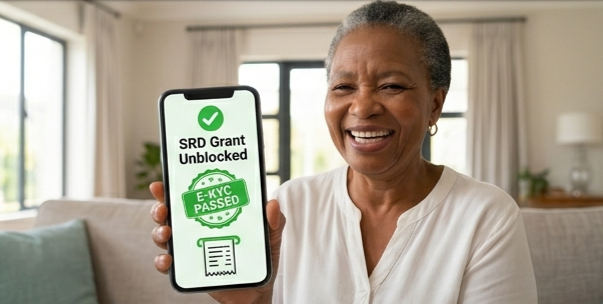
Start with the verification step again using the official SRD e-KYC process. If the portal allows a new attempt, complete the identity check carefully and make sure your face, ID details, and phone number are entered exactly as required.
If the status still remains blocked, contact support and request manual assistance. Include your full name, ID number, registered phone number, and a screenshot of the “E-KYC failed” message so the issue can be tracked faster.
When the problem does not clear online, an in-person visit may be necessary. Bring your ID document, your phone, and any proof of the failed verification so officials can check your record and help reset or review the status manually.
Best Fixes That Work
Here are the steps that usually give the best results:
– Retry the e-KYC process using the correct personal details.
– Use the same cellphone number linked to your application.
– Clear spelling mistakes or outdated information in your profile.
– Save a screenshot of the failed status before contacting support.
– Ask for manual review if online verification keeps failing.

– Visit the office in person if support cannot resolve it remotely.
In many blocked cases, persistence matters. A single failed attempt does not always mean permanent rejection, especially when the issue is caused by a simple data mismatch or system delay.
Mistakes To Avoid
Do not submit random details just to force the system to pass you. That can make the mismatch worse and delay your grant even longer. Also avoid using someone else’s phone number, because the verification code or status update may never reach you.
Another common mistake is ignoring the status for weeks. If the system needs manual intervention, the delay can continue until you follow up with support or visit the office yourself.
FAQ
Conclusion
If your SRD is blocked because of “E-KYC failed,” the fastest solution is to verify your details, retry the official process, and escalate the case with proof if it still fails. Most importantly, do not keep guessing or changing details blindly, because that usually slows everything down.