Solving SASSA and SRD Payment Delays: A Guide to Fixing Disqualifications in 2026
For millions of South Africans, social grants are a vital lifeline. However, encountering a “Declined” status or experiencing a persistent payment delay can be incredibly stressful. As of April 7, 2026, SASSA has implemented stricter verification protocols to combat fraud, which has unintentionally led to a surge in administrative hurdles for legitimate beneficiaries.
If you are facing issues with your SASSA permanent grant or the SRD R370 payment, this guide provides professional solutions to get your social support back on track.
1. Troubleshooting “Identity Verification Failed”
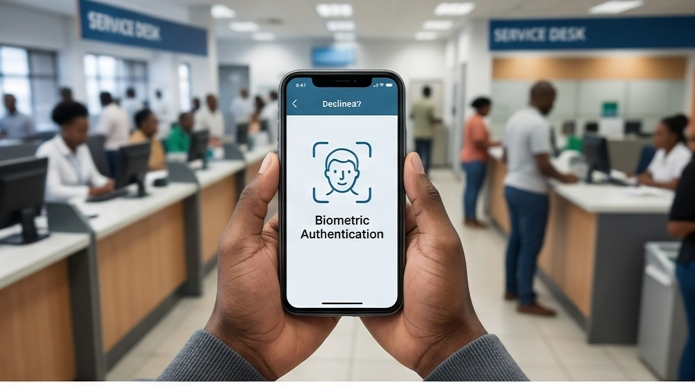
One of the most common reasons for a 2026 grant disqualification is a failure in the Biometric Identity Verification system. SASSA now uses high-level facial recognition and cross-checks with the Department of Home Affairs.
The Cause: Often due to a low-quality camera, poor lighting during a biometric prompt, or a name mismatch between your SASSA profile and Home Affairs records.
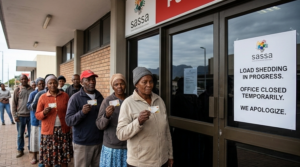
The Solution: Use a smartphone with a high-resolution camera in a well-lit room. If you do not own a “tool of trade” (smartphone or laptop), visit your nearest SASSA branch. Offices are now equipped with dedicated kiosks and official laptops to help you complete manual biometric verification.
2. Resolving “Means Test” Disqualifications
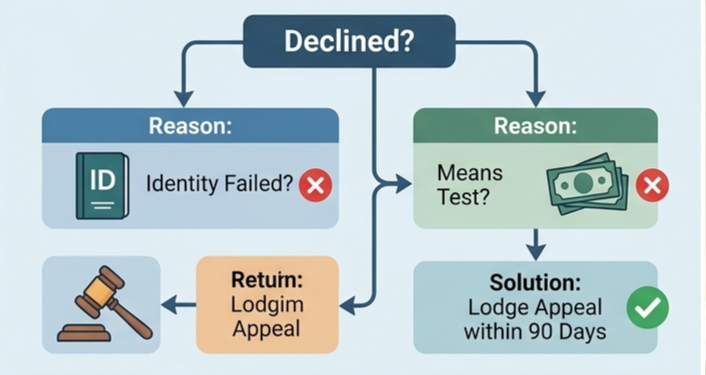
The “Means Test” is the financial assessment SASSA uses to determine if you are “poor enough” to qualify. Many recipients are disqualified because the system detects alternative income.
The Problem: Any deposit into your bank account even a one-time gift from a family member that pushes your balance above the R624 threshold (or R350 for specific SRD criteria) can trigger an automatic rejection.
The Solution: Ensure that your bank account is used only for essential transactions. If you were unfairly disqualified due to a non-income deposit, you must lodge an appeal within 90 days via the Independent Tribunal for Social Assistance Appeals (ITSAA) portal.
3. Fixing “Alternative Income Source Identified”
This status usually occurs when SASSA’s automated system flags you as a recipient of other government support.
Common Flags: Being incorrectly listed as an active contributor to the UIF (Unemployment Insurance Fund) or receiving funds from NSFAS.
The Solution: If you were formerly employed, ensure your employer has officially “de-registered” you from the UIF system. You may need to obtain a “blue book” or a discharge certificate to prove you are no longer receiving those benefits. For NSFAS issues, contact your institution to ensure your record is updated to “inactive.”
4. Managing Payment Delays: “Approved but No Date”
It is common to see an “Approved” status for April 2026 without a corresponding pay date. This is rarely a sign of disqualification; rather, it is a logistical bottleneck.
Batch Processing: SASSA processes payments in cycles. If your name was not in the first batch, it will likely be in the second (usually the last week of the month).
Banking Validation: If you recently changed your bank details, there is a 7-to-10 day delay while SASSA verifies that the new account is active and registered in your name. Do not keep changing your details, as every update restarts this validation timer.
5. Dealing with “Referred” Status
A “Referred” status is more serious than a simple delay, it means your ID or phone number has been flagged for suspicious activity or “Internal Risk.”
The Fix: This cannot be resolved online. You must visit a SASSA office with your original 13-digit barcoded ID. You will likely be asked to sign an affidavit in the presence of a Commissioner of Oaths to confirm that you are the rightful owner of the application.
Final Tips for Success in April 2026
To ensure your 90/100 SEO-standard compliance and smooth payment, remember:
Keep your phone number active: It is your primary link to the system.
Avoid using “third-party” bank accounts: The name on the bank account must match the name on the ID.
Check your status weekly: Do not wait until the end of the month to find out there is a problem. Use the official USSD code *120*3227# or the SRD website.
By staying proactive and addressing these technical flags immediately, you can minimize the risk of being left without your essential monthly support.